WLED Max — The Best WLED App
The ultimate WLED LED controller app for iOS and Android. Visually design segments, preview every WLED effect live inside the app, and access the full native device config — all from your phone.
Version 1.1.0 · Segments Studio, live effect previews, native device config
Requires a WLED-powered ESP32 or ESP8266 device
Three big upgrades
We rebuilt the power-user workflow — design segments visually, preview every effect live, and dive into the full native WLED config without leaving the app.
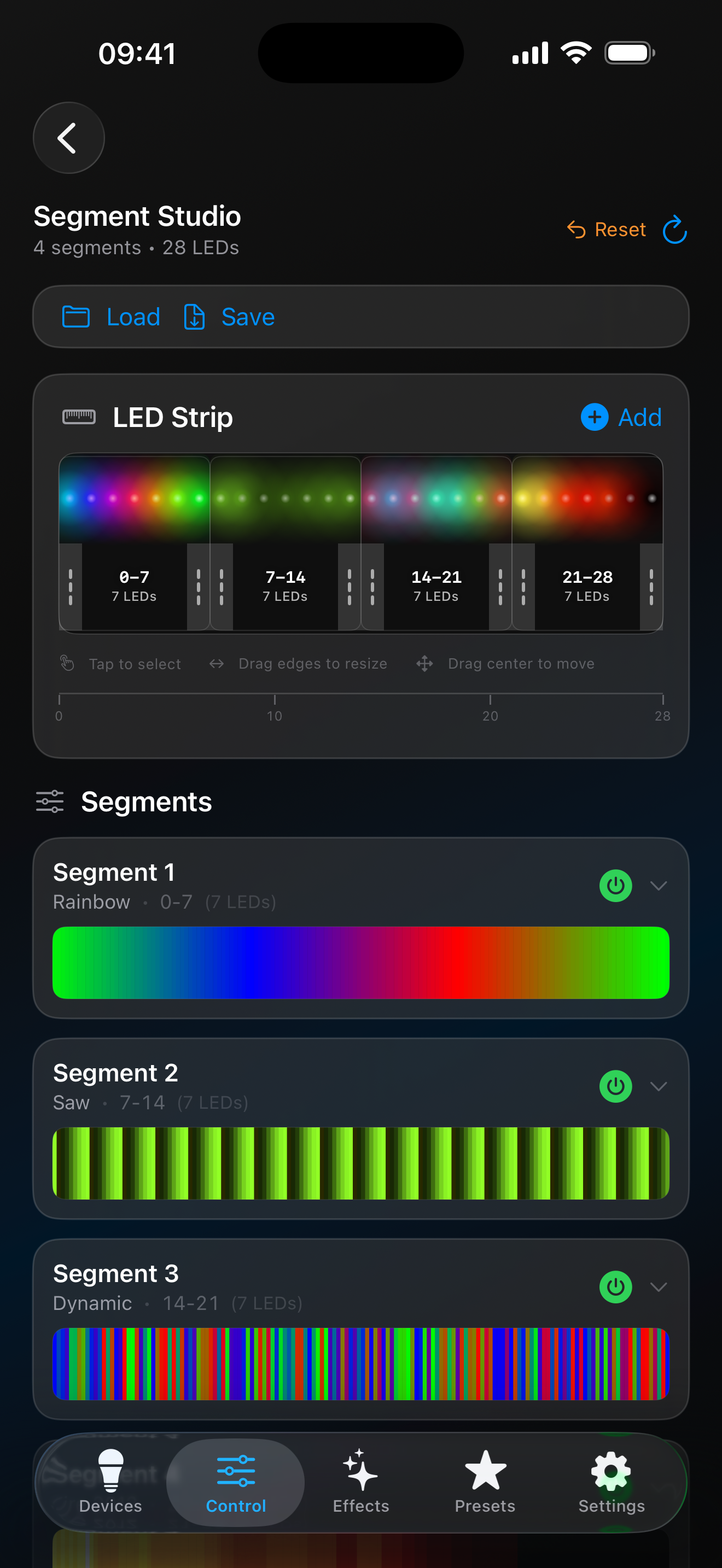
Design segments visually
Drag to build, split, and resize LED segments on a visual canvas. Works for 1D strips and 2D matrices. No more guessing pixel indices.
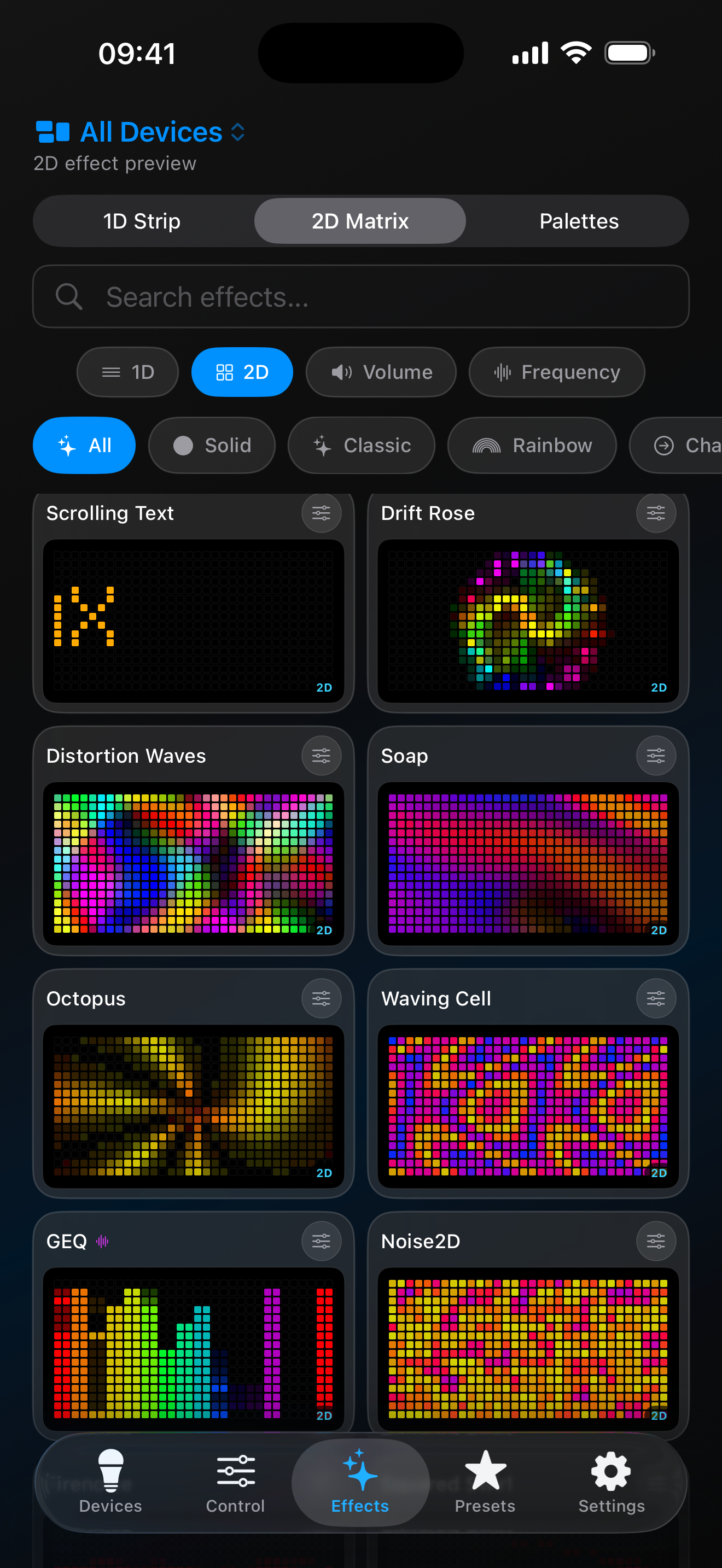
Preview every effect
See the effect animate live inside the app before sending it to your LEDs. Tweak speed, intensity, colors, and palette in real time.
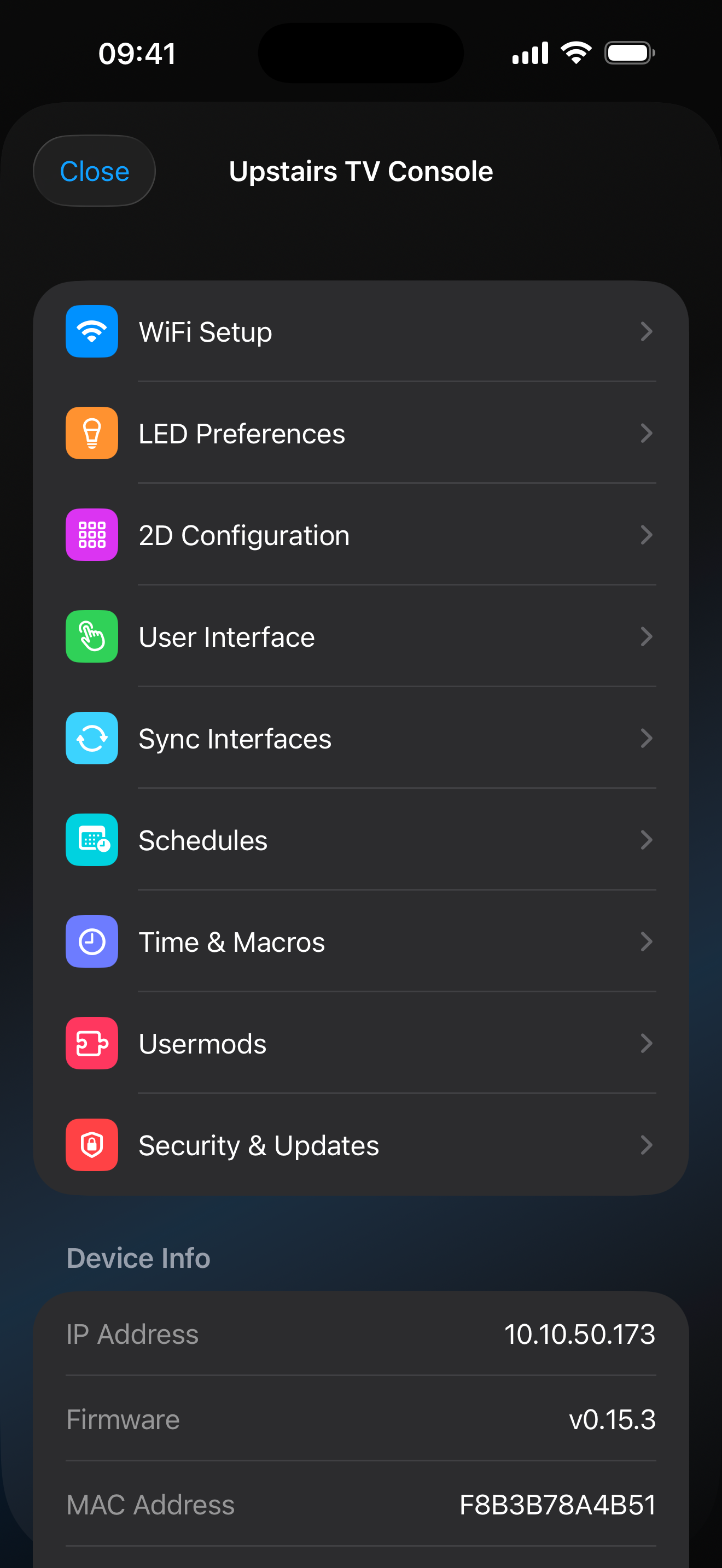
Full native device config
Every setting from the WLED web UI rendered natively inside WLED Max — Wi-Fi, LED pins, sync groups, time, schedules, security.
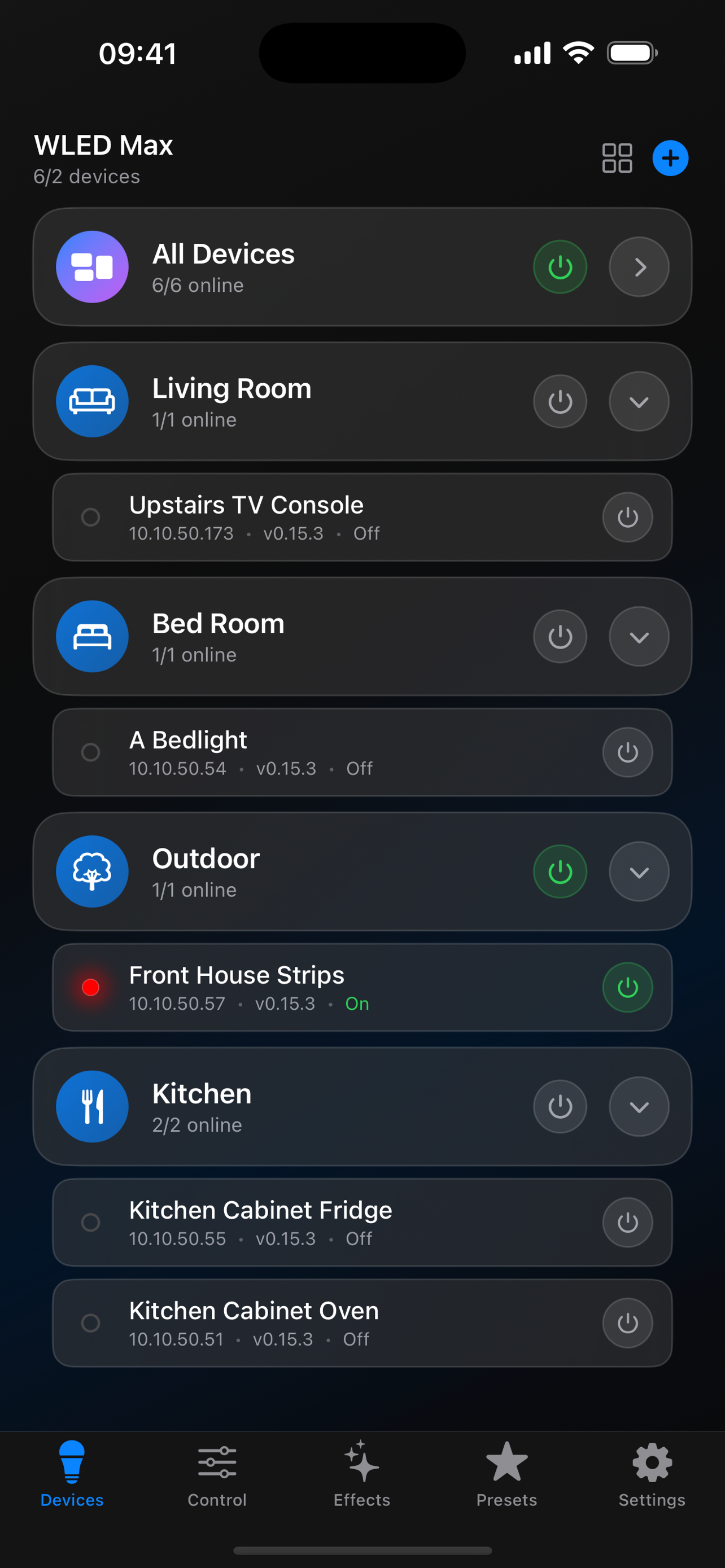
All Your WLED Devices, One App
Manage all your WLED installations from a single dashboard. Organize devices into rooms like Living Room, Bedroom, Kitchen, and Outdoor. Power on an entire group with one tap or control individual devices — your setup, your way.
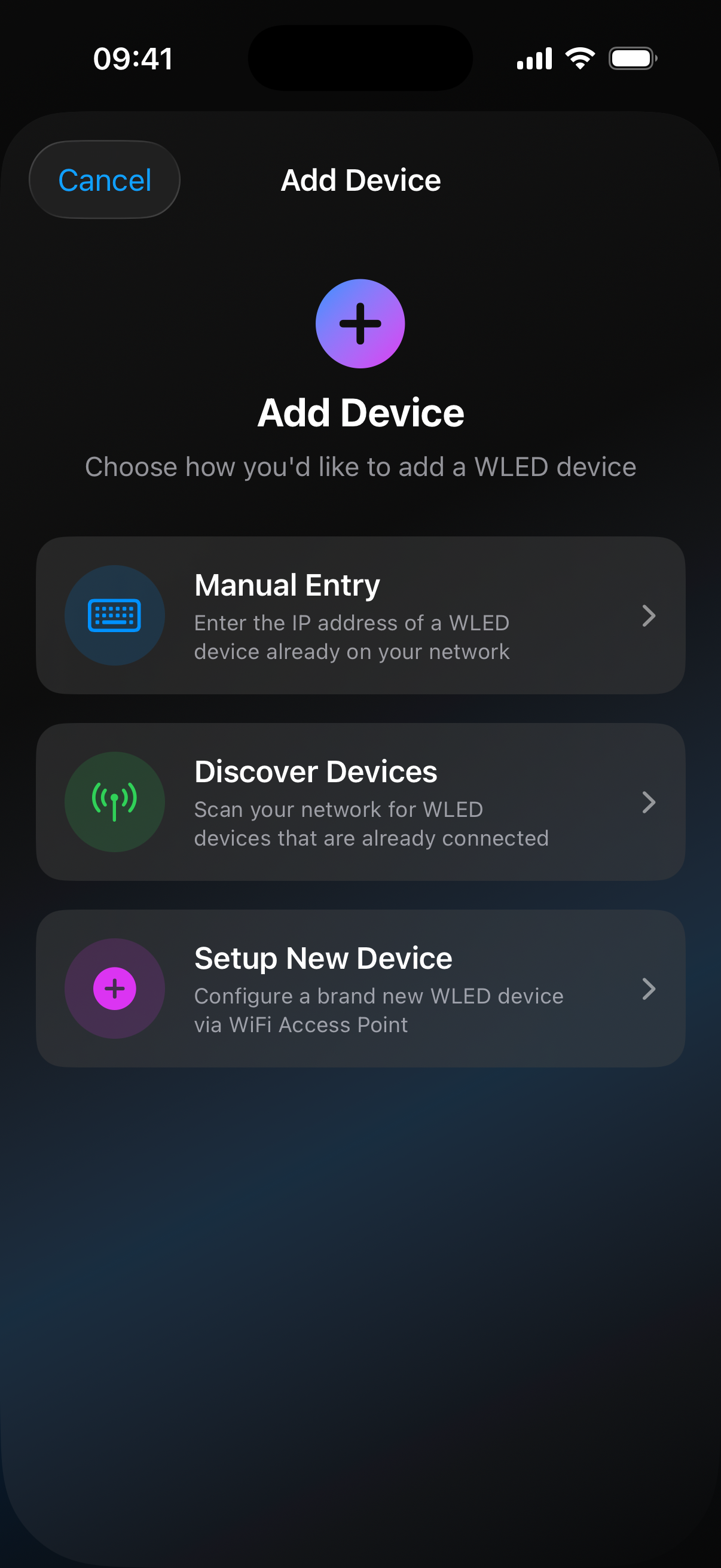
Auto Discovery
Adding devices has never been easier. Open the app, tap the + button, and your WLED devices appear automatically via mDNS — no IP addresses to remember. Prefer manual entry? That works too. You can even use guided ESP32 setup via WiFi Access Point.
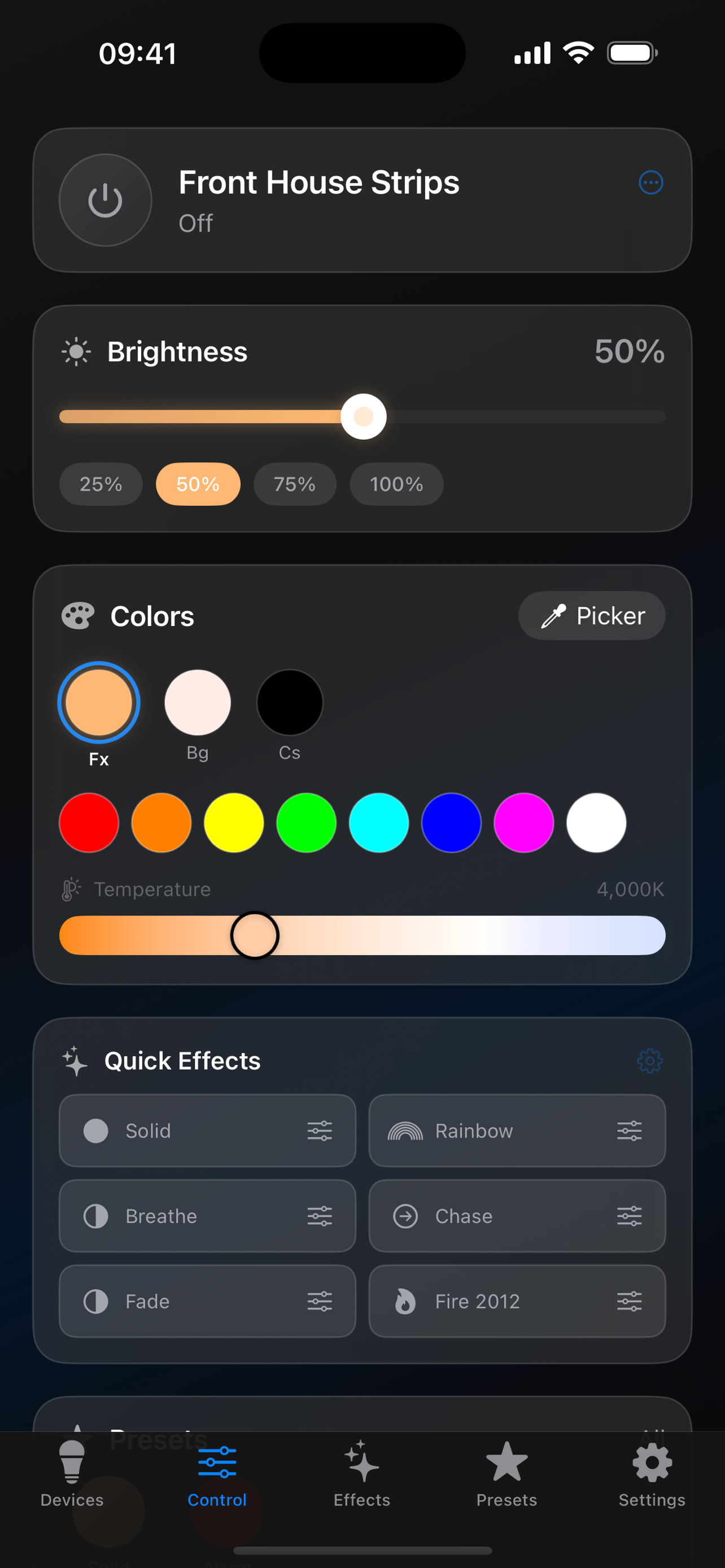
Instant WLED LED Control
Adjust brightness with a smooth slider, pick quick presets, and set color temperature — all with instant WebSocket response. Quick effect buttons let you switch between Solid, Rainbow, Breathe, Chase, and more without digging through menus.
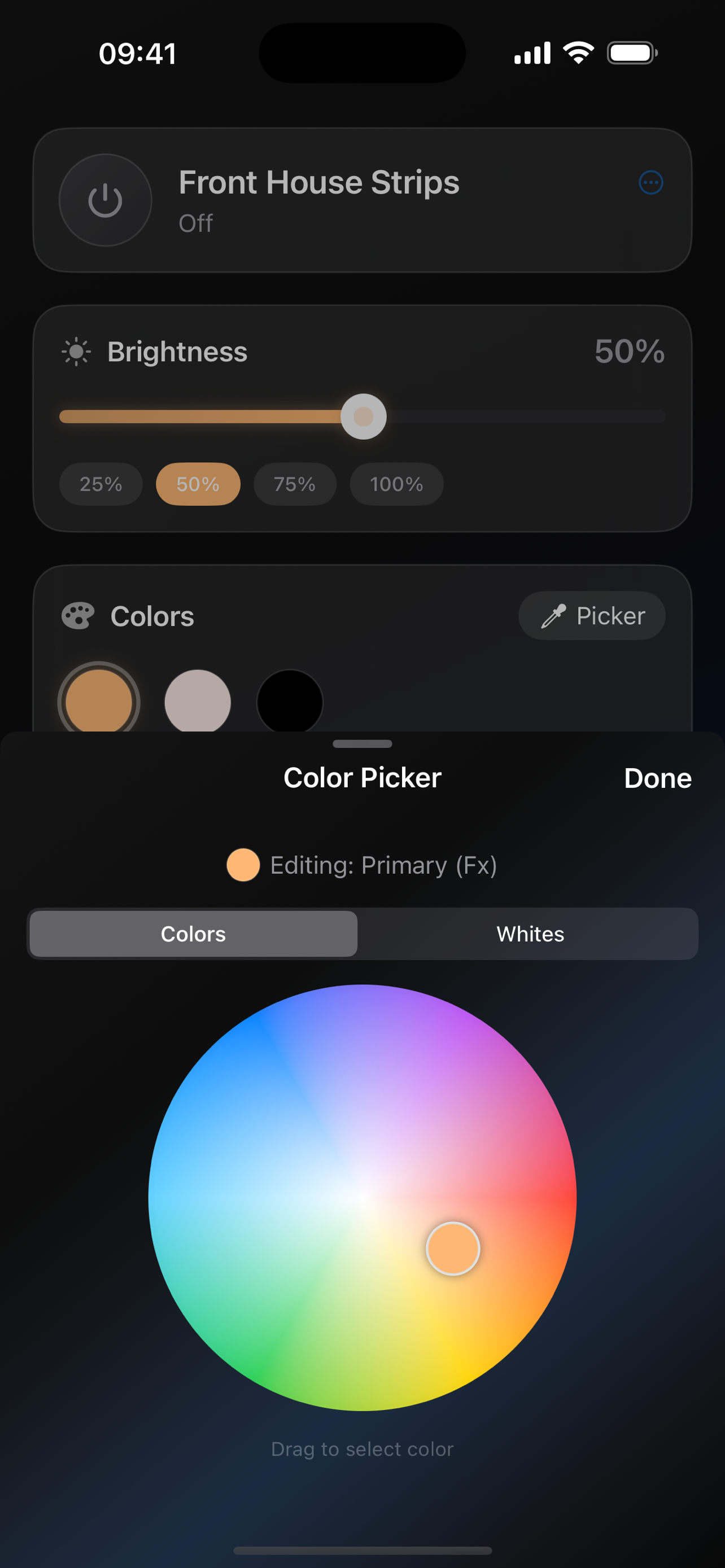
Pick Any Color
A beautiful RGB color wheel designed for LED control. Drag to select any color and see it reflected on your LEDs in real-time. Switch between Colors and Whites modes, and edit primary, background, and custom color slots independently.
Every WLED Effect, With Live Previews
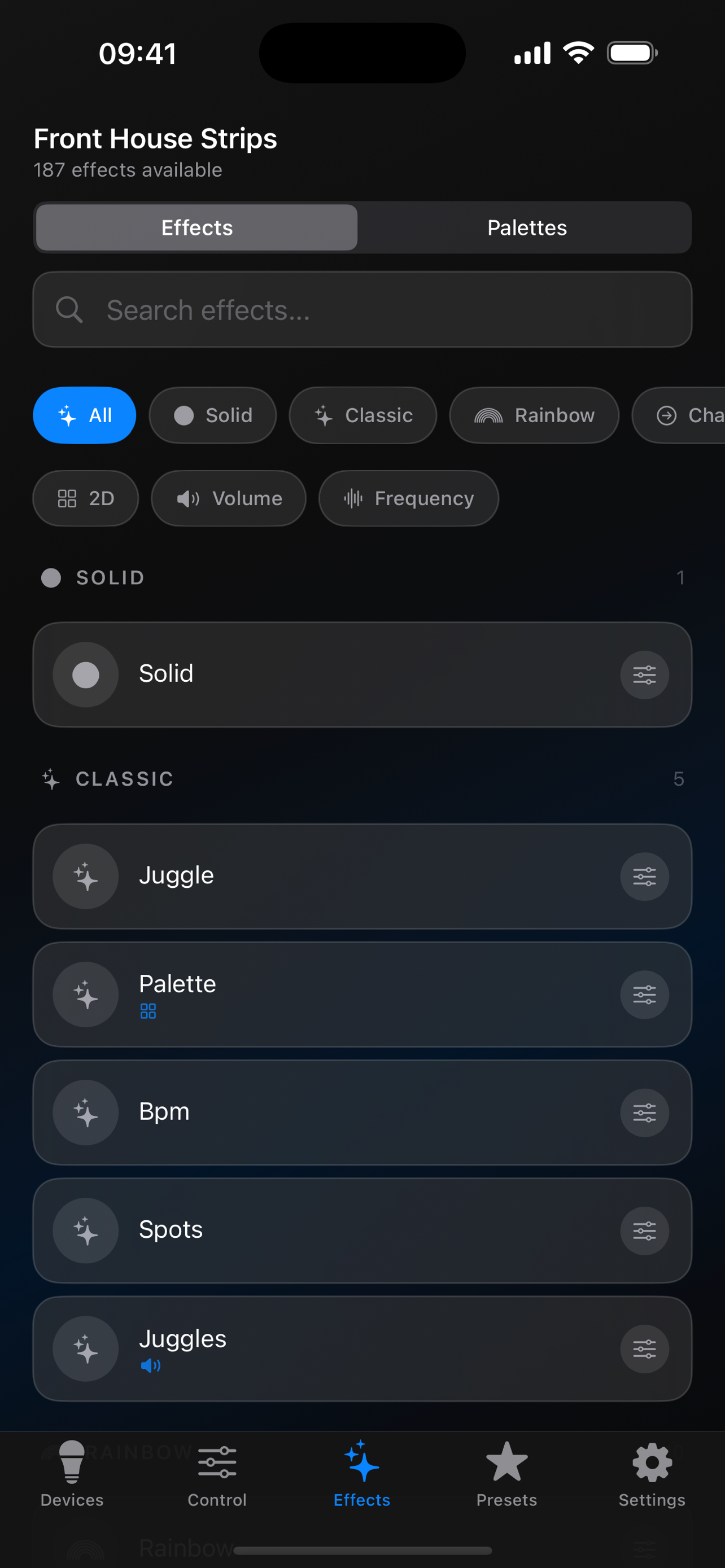
Every built-in WLED effect, organized by category — Solid, Classic, 2D, Volume, and Frequency. Search by name, filter by type, and see a live animated preview of each effect inside the app before pushing it to your LEDs. Speed, intensity, palette, and custom sliders all update the preview in real time.
Presets & Playlists
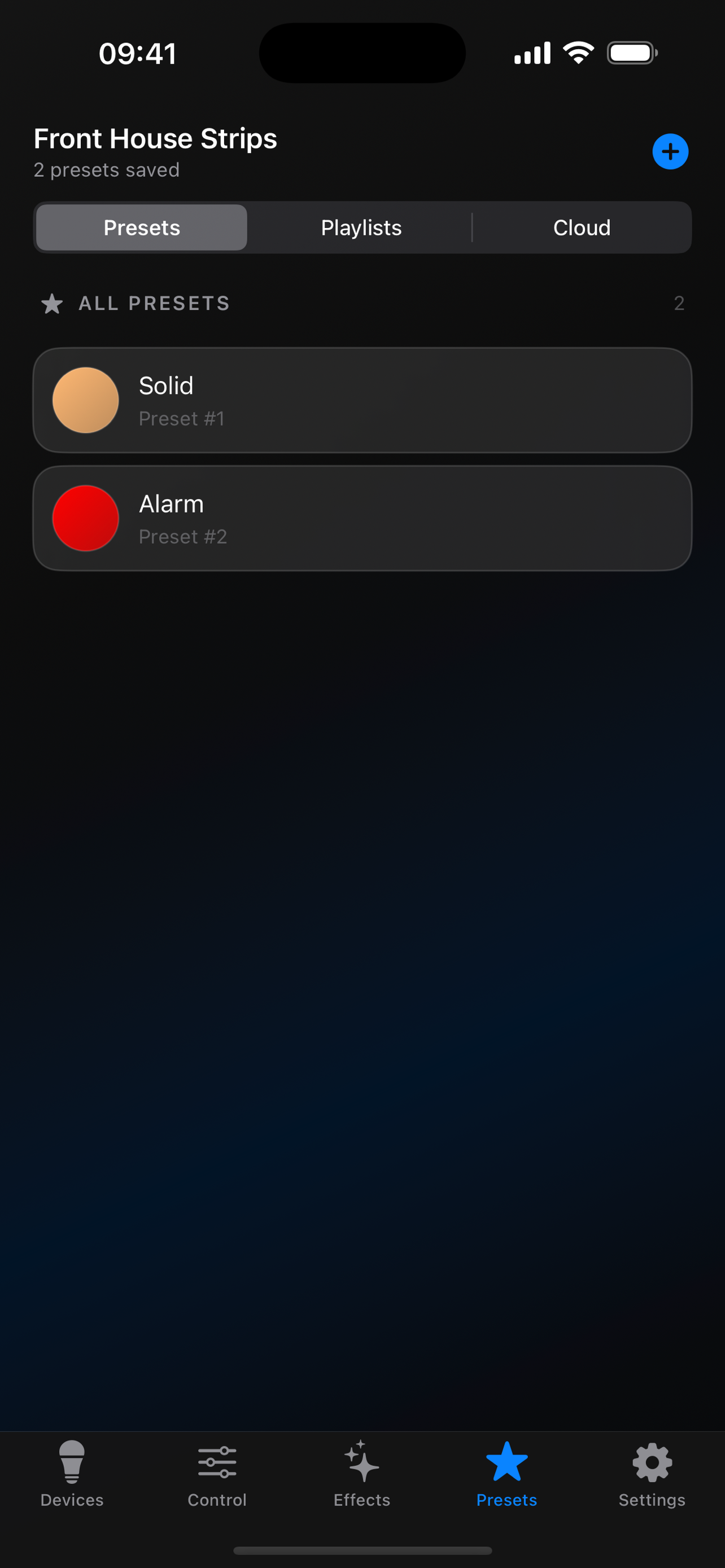
Save your favorite lighting configurations as presets and recall them with a single tap. Create playlists that automatically cycle through your saved looks. Back up your presets so they're never lost.
Create Custom Groups
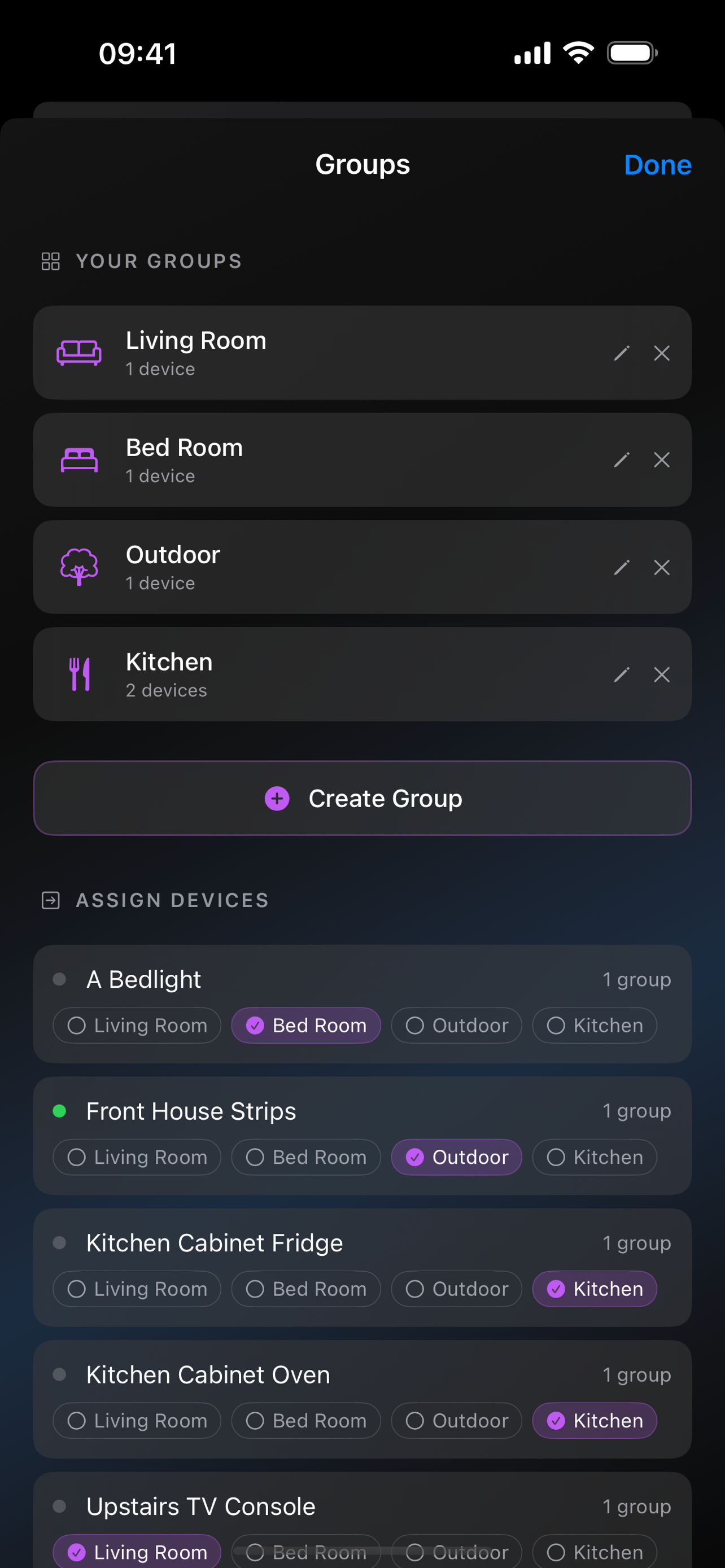
Create groups with custom names and icons, then assign devices to them. A device can belong to multiple groups — put your hallway strip in both "Downstairs" and "Night Mode" for scene-like control. See all your groups and assignments at a glance from the management screen.
Make It Yours
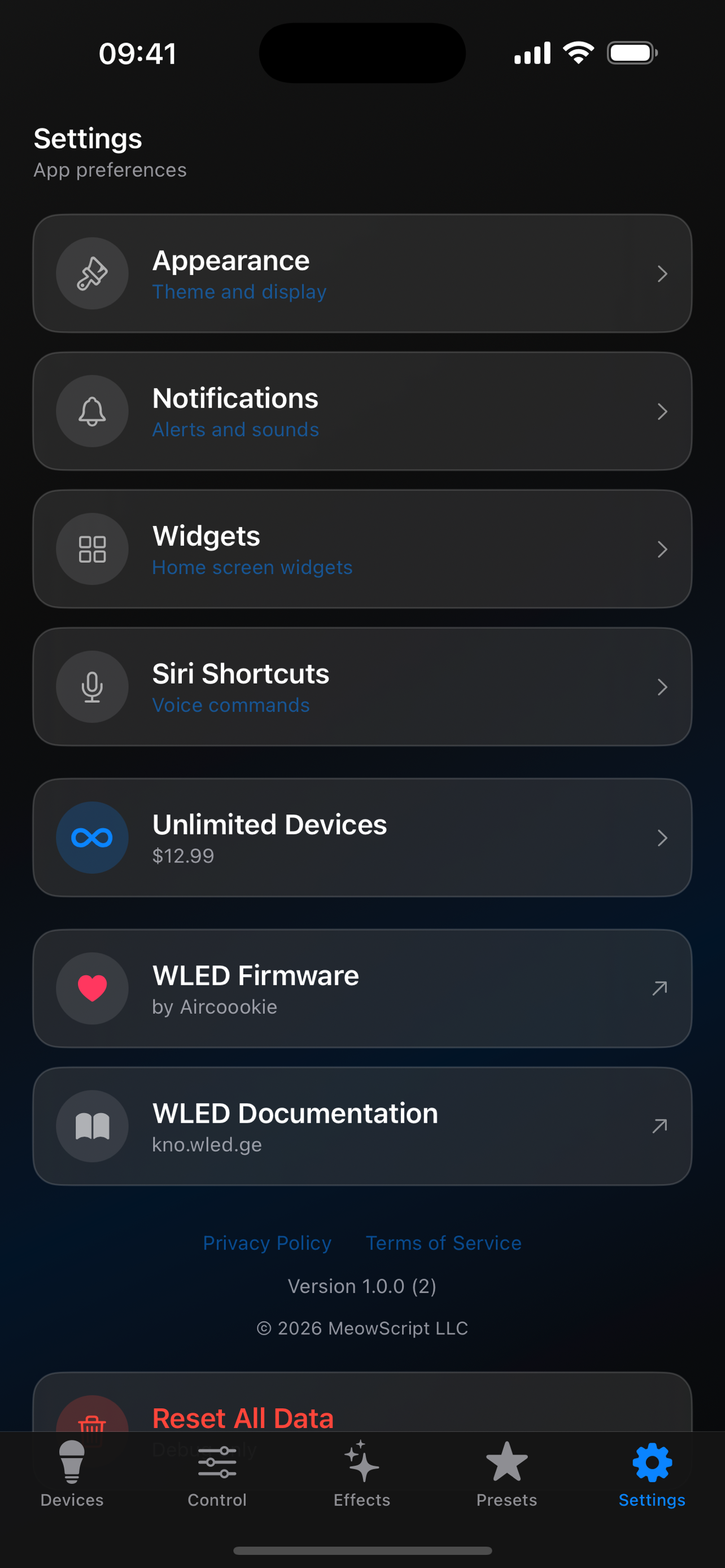
Customize the app with appearance themes, notification preferences, and Home Screen widgets. Set up Siri Shortcuts for voice control (iOS). Unlock unlimited devices with a one-time purchase. Direct links to WLED firmware and documentation built right in.
OTA Firmware Updates
Update your WLED firmware directly from the app — no computer needed. Browse available releases, read changelogs, and install with one tap. The app automatically checks for new versions and notifies you when updates are available.
Community Presets (iOS)
Browse and download presets shared by the WLED community. Find inspiration from other users' lighting setups, share your own creations, and discover new effects you never knew existed. Send presets directly to friends by username. Community preset sharing available on iOS, coming soon to Android.
Built Native
Not a web wrapper. Fully native apps for both iOS and Android, designed for each platform.
Auto Discovery
Finds WLED devices on your network automatically via mDNS. No manual IP entry required.
WebSocket Powered
Real-time communication over WebSocket means zero delay. Changes reflect on your LEDs instantly.
Native & Fast
Built with SwiftUI on iOS and Jetpack Compose on Android. Smooth 60fps animations on both platforms.
Compatible Hardware
Works with any device running WLED firmware. That's hundreds of ESP32 and ESP8266 boards.
ESP32
Full feature support including multi-segment, large LED counts, and sound reactive effects.
ESP8266
Works great for smaller setups. Supports core features including effects, presets, and segments.
LED Strips
WS2812B, WS2811, SK6812, APA102, and more. RGB, RGBW, and addressable strips all supported.
Requirements
Mobile Device
- iPhone or iPad (iOS 17+)
- Android phone or tablet (Android 9+)
- Same WiFi network as your WLED devices
WLED Hardware
- ESP32 or ESP8266 running WLED firmware
- WLED version 0.14.0 or newer recommended
- Connected to your local WiFi network
Download the Best WLED App
Get WLED Max free on iOS and Android. Take full control of your WLED LED strips today.
Frequently Asked Questions
What is WLED Max?
WLED Max is a native mobile app for iOS and Android that lets you control WLED-powered LED strips. Version 1.1.0 adds a visual Segments Studio for building 1D and 2D segment layouts, live in-app previews for every WLED effect, and full access to the native device configuration pages. Also supports auto-discovery via mDNS, real-time WebSocket control, presets and playlists, OTA firmware updates, home screen widgets, Siri Shortcuts (iOS), and community preset sharing (iOS).
What is new in WLED Max 1.1.0?
Version 1.1.0 focuses on power users. Segments Studio is a visual drag-based segment editor for 1D strips and 2D matrices. Live effect previews let you see every WLED effect animate inside the app before pushing it to your LEDs — speed, intensity, palette, and custom sliders all update in real time. Full native device config brings every setting from the WLED web UI (LED pins, Wi-Fi, sync, time, security) into a native experience inside the app.
What hardware does WLED Max work with?
WLED Max works with any ESP32 or ESP8266 device running WLED firmware (version 0.14.0 or newer recommended). It supports WS2812B, WS2811, SK6812, APA102, and other addressable RGB and RGBW LED strips.
Is WLED Max free?
WLED Max is free to download with full core features. A one-time in-app purchase unlocks unlimited device support and premium features. There are no subscriptions or recurring fees.
How is WLED Max different from the WLED web interface?
WLED Max is a fully native app (SwiftUI on iOS, Jetpack Compose on Android) — not a web wrapper. It offers features the built-in web UI cannot, including multi-device management with room groups, auto-discovery across your network, home screen widgets, Siri Shortcuts for voice control (iOS), OTA firmware updates, community preset sharing (iOS), and a smooth 60fps experience optimized for each platform.
Does WLED Max support Android?
Yes. WLED Max is available on both the Apple App Store (iOS 17+) and Google Play Store (Android 9+). Both versions offer the same core features including device control, effects, color picker, presets, segments, groups, widgets, and OTA updates. Community preset sharing and Siri Shortcuts are currently iOS-only.